
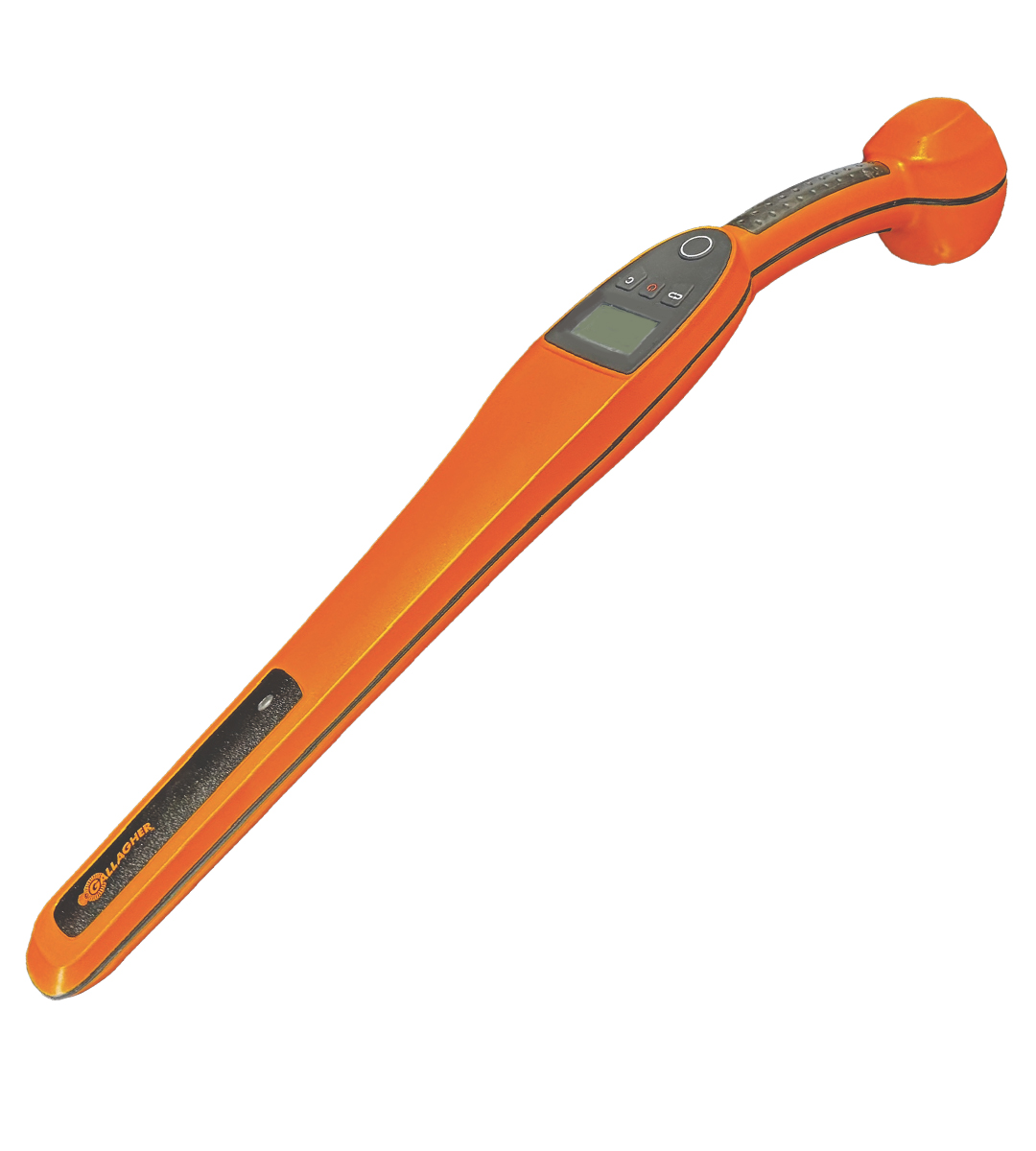
Gallagher HR0 HANDHELD EID TAG READER
The HR0 Handheld EID Tag Reader makes
professional EID reading accessible for
everyone: from compliance-focused farmers
and ranchers to high-volume livestock
operations. This entry-level reader delivers
reliable performance without the premium
price tag.
It’s all the essentials done right in one EID tag reader.
Gallagher HR0 Hand Held EID Tag Reader Quick Start Guide (938 KB) - PDF
Gallagher HR0 Hand Held EID Tag Reader User Guide (2.75 MB) - PDF
Gallagher HR0 Hand Held EID Tag Reader Sales Guide (35.2 MB) - PDF
Gallagher HR0 Hand Held EID Tag Reader Andriod Set up Guide (616 KB) - PDF
Gallagher HR0 Hand Held EID Tag Reader iOS Set up Guide (588 KB) - PDF

Overview & RESOURCES
User Guide Download Information
Gallagher HR0 Hand Held EID Tag Reader Quick Start Guide (938 KB) - PDF
Gallagher HR0 Hand Held EID Tag Reader User Guide (2.75 MB) - PDF
Gallagher HR0 Hand Held EID Tag Reader Sales Guide (35.2 MB) - PDF
Gallagher HR0 Hand Held EID Tag Reader Andriod Set up Guide (616 KB) - PDF
Gallagher HR0 Hand Held EID Tag Reader iOS Set up Guide (588 KB) - PDF
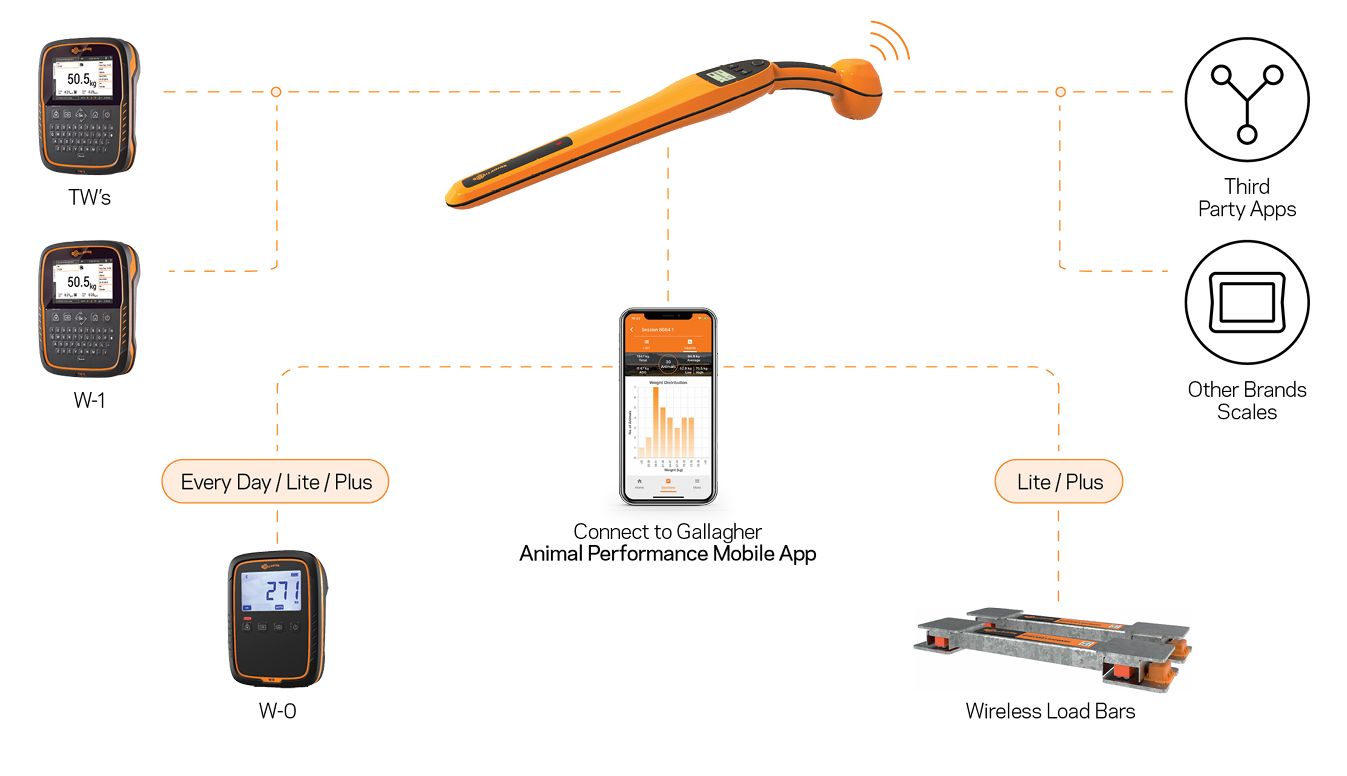
The Gallagher HR0 Hand Held EID Tag Reader with Bluetooth® wireless technology enables you to read animal Electronic Identification (EID) tags either individually or continuously. You can connect the HR0 using Bluetooth® wireless technology or Bluetooth® Low Energy, to a recording device, for example:
- The Gallagher Animal Performance app
- A Gallagher TW-x Weigh Scale
- A third party weigh scale,
These devices record animal information and store scanned HDX (Half Duplex) and FDX (Full Duplex) EID tags.
IMPORTANT
The HR0 Hand Held EID Tag Reader has no internal memory and does not store scanned EID tags.
The Gallagher HR0 box contains:
Gallagher HR0 Hand Held EID Reader
(with Bluetooth® wireless technology)
110V - 230V Mains AC adapter
HR0 Quick Start Guide

Seamless connectivity.
Get your EID number where it needs to go, fast.
Gallagher HR0 Overview
| Reads FDX and HDX tags | Yes |
| Scans in single and continuous modes | Yes |
| Light, sound, and vibration for every confirmed read | Yes |
| Prevents duplicate tag reads | Yes |
| Displays last-read EID number and the number of scanned tags | Yes |
| Connects to Gallagher and other brand weigh scales and smartphones via Bluetooth | Yes |
| Records EID numbers and custom traits | No |
| Internal storage | No |
| Edit animal data on the reader | No |
| Alphanumeric keypad | No |
| Battery life | Up to 8 hours |
| Read range | Up to 35cm |
| Packaged dimensions | 75mm (D) x 125mm (H) x 765mm (W) |
| Warranty | 2 years |
| Send EIDs to apps like Excel or Notepad** | Yes |
BATTERY INFORMATION
IMPORTANT
For optimum performance of the HR0 Hand Held EID Tag Reader, the internal battery must be fully charged before using.
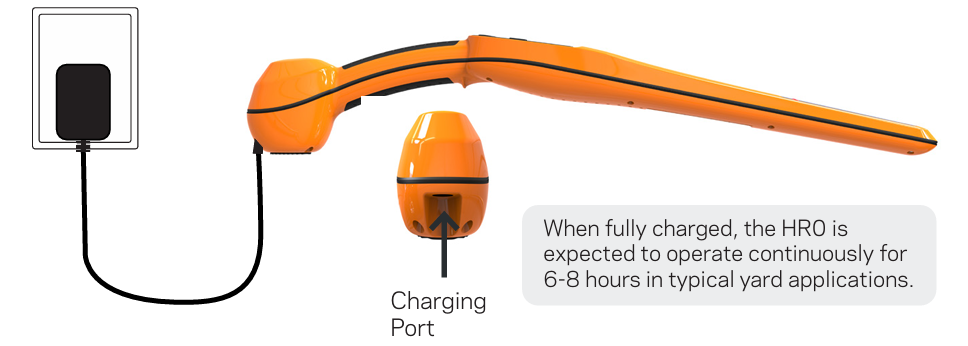
- Insert the power adapter into the chargingport on the HR0 and plug into a power outlet.
- The battery icon in top right of screenwill fill left to right while the reader is charging.
- The battery icon will appear solid when fully charged.
IMPORTATN:
Gallagher recommend the 110V - 230V Mains AC adapter supplied with your HR0 reader, is always used when charging.
The power adaptor is intended for indoor use only.
Do not expose to rain or dampness.
Notes for charging the battery:
• You cannot read tags while the Reader is connected to mains power.
• Charge the battery only between +10 °C to +40 °C (50 °F to 104 °F).
• Always charge the battery indoors.
• Charging outside this temperature range reduces charging performance. At temperatures above 40°C, charging will take longer.
• It takes approximately 8 hours to fully charge the battery from mains power.
• Firmware updates do not install when the battery has less than 5% charge remaining or when the battery is charging.
Operation
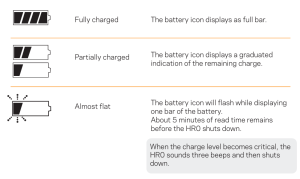
During operation, the battery icon indicates the actual amount of charge left in the battery.
Charging
When the Reader is connected to a charger, the battery icon displays a charging status as follows:
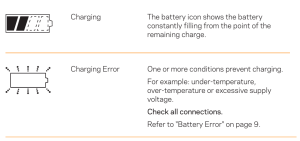
Charging will pause if the temperature exceeds the safe range and will resume once the unit cools. The charge indicator will turn off during this time.
If a battery error occurs the battery indicator flashes. Refer to "Troubleshooting" on page 19 of the HR0 User Manual for Error Code information.
If the error cannot be resolved, return the Reader to a Gallagher Authorised Service Centre for battery replacement. The lithium battery must be replaced by a trained professional using a Gallagher approved battery.
or disposal