
Gallagher EID Tag Reader Controller BR
Ideal for fixed, hands-free EID data collection on any tagged livestock, usually in a weighing crate or in a race. An EID tag reader is designed to power a connected EID Antenna Panel. With built-in Bluetooth connectivity sending EID numbers to a connected EID enabled weigh Scale or recording up to 20,000 tags with its internal memory.
Gallagher EID Tag Reader Controller BR User Guide (1.9 MB) – PDF


Overview & RESOURCES
User Guide Download Information
Gallagher EID Tag Reader Controller BR User Guide (1.9 MB) – PDF
With long lasting, rechargeable internal battery, the EID Reader Controller powers the Antenna Panel and reads tags for up to 8 hours.
Comes with battery charger, 12 volt battery leads, communications cable, USB communications cable and user manual.
Optional mains power supply available (Part no. 2M1690)
Overview
|
300mm
|
220mm | ||
| 8.9kg |
100mm
|
||
| Warranty | 1 Year |
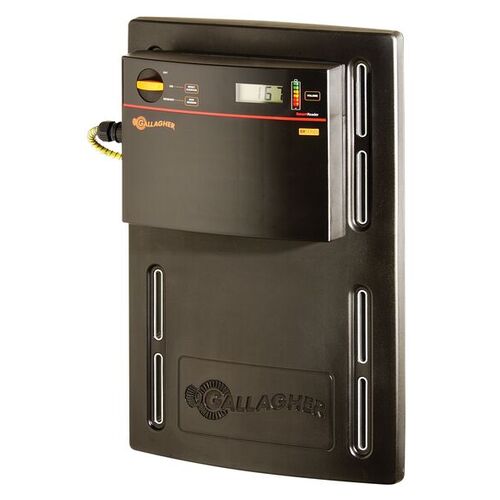
Wirelessly send EID tags to your weigh scale via Bluetooth
Easy weigh scale connection via Bluetooth. Sends EID numbers straight to your weigh scale, linking them to animal weights to measure animal performance over time
Also includes an adaptor for non-Bluetooth enabled EID weigh scales
Quick and reliable success notifications and battery alerts
Built-in tag counter (stores up to 20,000 tags), beeps for every successful tag read & indicates battery charge level
Long lasting, rechargeable internal battery
Internal rechargeable battery powers the Antenna Panel and reads tags for up to 8 hours
Tough, farm ready exterior
Fully sealed, waterproof construction built to withstand the harshest of farming environments
Reads all ISO electronic identification (EID) ear tags
Compatible with half duplex (HDX) and full duplex (FDX-B) electronic identification ear tags
Easy installed and removed for charging or storage
Simply mount and connect to your EID Antenna Panel. Can be used with EID Tag Reader Antenna Panels or the Gallagher Sheep Auto Drafter. Easily removable for security, convenient charging or to switch to different weighing yards
OVERVIEW
The Gallagher SmartReader enables you to read both HDX (Half Duplex) and FDXB (Full Duplex‐B) Electronic ID tags.
HDX and FDX‐ Electronic ID tags operate differently and therefore have different applications.
For optimal battery life, Gallagher recommends that you store the SmartReader in a cool, dry area (15 to 25 ° C) out of direct sunlight.
Charge the battery completely before storage, as the battery may lose capacity if left empty for a period of time.
The Configurator is a software program provided with the SmartReader BR Series. Use it to alter settings and to diagnose performance problems in the installed SmartReader.
The Configurator is for advanced users and should be used with care as altering settings affects the operation of the SmartReader.
The Configurator software is automatically installed with the MyScale Pro software.
The MyScale Pro software enables you to transfer Electronic ID tag numbers stored in the SmartReader memory from the SmartReader to a computer.
Note: The SmartReader does not need to be connected to the panel for this activity.
With MyScale Pro you can perform the following functions:
- Transfer sessions from the SmartReader
- Change session file names
- View and edit sessions
- Print sessions C
- reate long term record storage using MyScale Pro to backup information from the SmartReader
INTERFACE
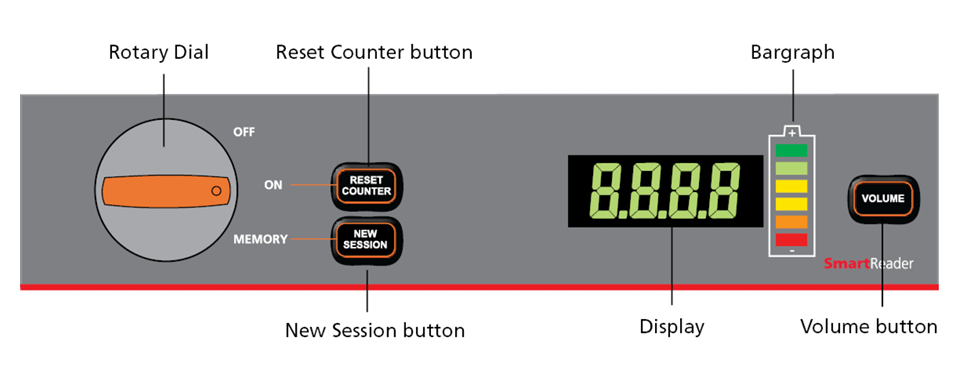
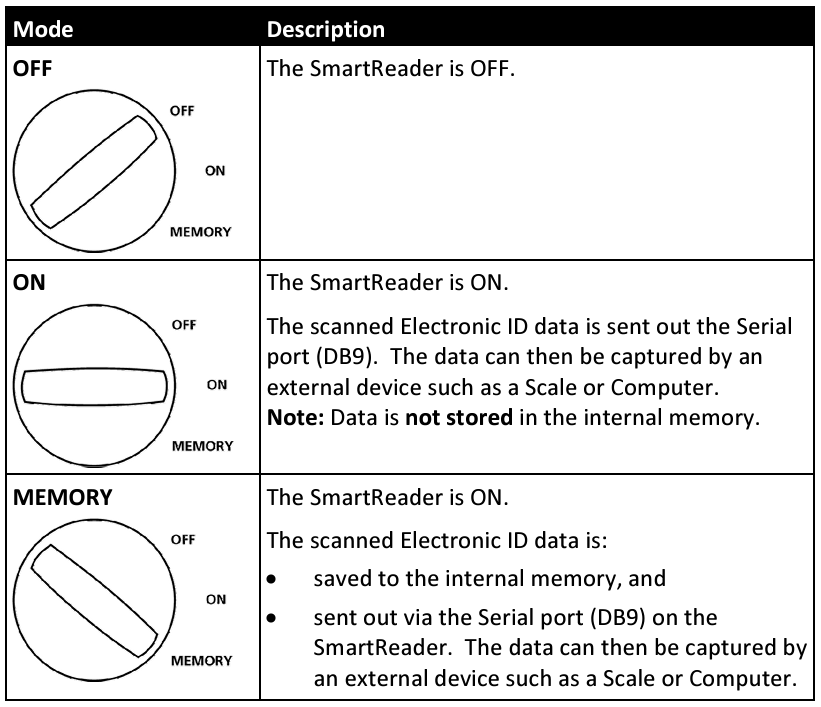
The following table describes the three modes of the rotary dial.
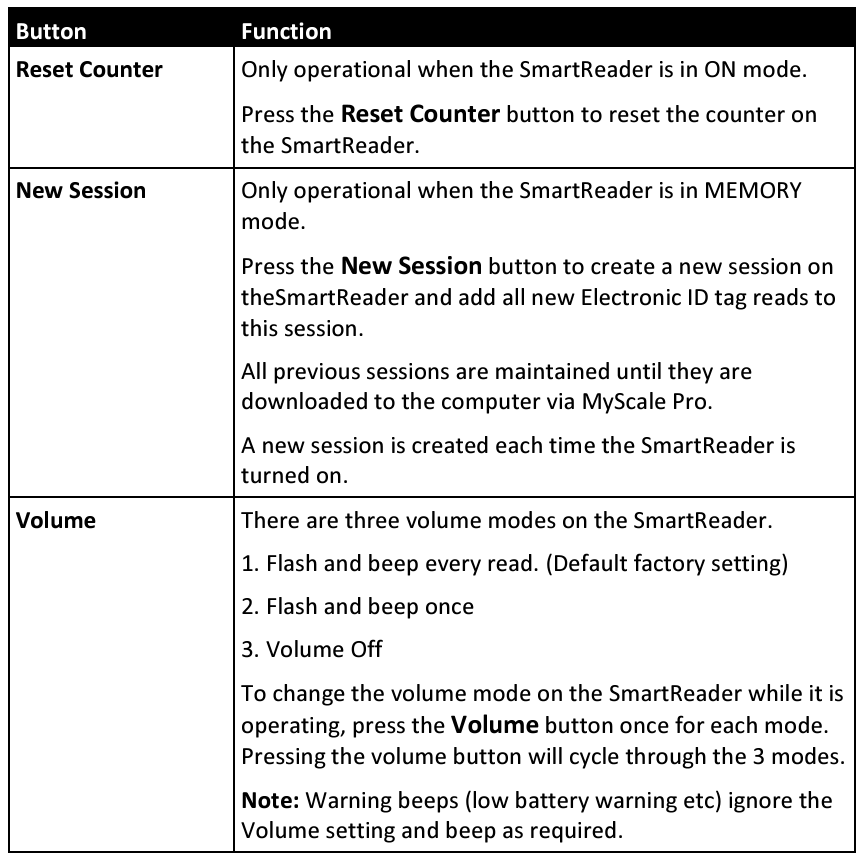
The following table describes the function of each button.
The SmartReader beeps whenever one of the following situations occurs:
- An Electronic ID tag has been read, except if the volume is set to OFF.
- The volume level is set.
- The battery charge level is low. This warning sounds regardless of the volume set.
The following table describes the messages shown on the display.

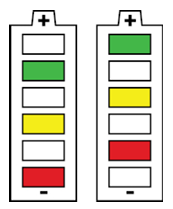
The bargraph on the SmartReader is used to indicate the following:
- Battery charge level
- Battery charging
- Beeper volume
- Successful tag read
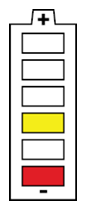
The battery charge levels display as follows:
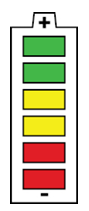 |
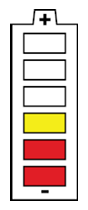 |
 |
| Fully charged | Partially charged | Flat battery |
| All bargraph lights are constantly displayed. |
Some bargraph lights are constantly displayed. Note: A warning will sound, when one red bar is remaining. |
No bargraph lights are displayed. |
When the SmartReader is connected to a battery charger, the bargraph displays the charging status:
 |
Charging The battery level is indicated by the number of bars illuminated. The flashing bars indicate that charging is occurring. Note: The battery charger controls the charging of the internal batteries and stops the charging once the batteries are fully charged. |
Press the Volume button to change the beeper volume.
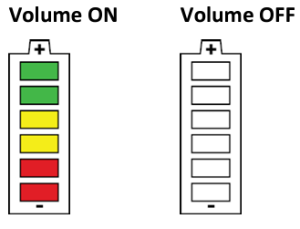
If set in the Configurator, each successful tag read triggers the bargraph to flash multiple times in an alternating pattern.
Looking to get a Gallagher EID Tag Reader Controller BR 4Tags might be able to help! Click HERE to find out more.